What Is the Most Important Fact to Know?
A dead keypad battery does not automatically unlock your door. Some locks remain in their last known position after the batteries fail. So, what happens when my keypad lock battery dies? Electronic entry usually stops, while the correct backup method depends on the exact lock model.
AI Overview
When a keypad lock battery dies, the keypad, app control, wireless connection, and motor may stop working. The lock does not normally gain power from household electricity. Many models stay in the position they held when power ended. Some provide a physical backup key. Others offer outside contacts for temporary battery power. Battery replacement usually occurs from the interior side. Never assume that one brand’s recovery steps apply to another model. Check the model number and official instructions before using a key, external battery, or tool. If you are locked out, avoid drilling or prying and contact a qualified locksmith.
- First, identify whether the lock is locked, unlocked, or partly extended.
- Next, find the model’s approved backup key or emergency power instructions.
The battery failure is often manageable. Panic creates the larger problem. A forced key, damaged keypad, or bent bolt can turn a simple power issue into hardware replacement.
Why Is There No Universal Answer?
Keypad lock is a broad label. Some models are basic electronic deadbolts. Others connect to an app, wireless hub, alarm, or smart home system. Their backup designs can differ even within one brand.
One lock may have a visible key cylinder. Another may hide it behind trim. A keyless model may offer outside battery contacts. Some models provide neither option because battery access remains inside.
- The exact brand, model, and cylinder design determine the safe recovery path.
- A similar looking keypad does not prove that the same battery or backup method applies.
Does the Door Stay Locked When the Battery Dies?
Often, it stays in its last known state. That means a locked deadbolt may remain locked. An unlocked one may remain unlocked. However, this behavior must be confirmed for the exact model.
Kwikset’s official backup power support states that several named models remain in their last known state after battery exhaustion. The page lists Premis, Aura, Halo, and Obsidian examples.
- Do not expect a dead battery to release the bolt for safety or convenience.
- Do not expect the motor to finish a lock cycle after usable power ends.
Look at the bolt position when possible. A door may also be partly bound because the motor stopped under pressure. That condition needs careful diagnosis.
Which Features Stop Working First?
The keypad may go dark or ignore touches. App commands may fail. Remote status can become old or unavailable. Voice control and automatic locking may also stop because the lock cannot communicate or move.
Some systems send warnings before complete failure. Others use lights, sounds, app notices, or slower operation. The exact warning pattern belongs to the product instructions.
- Electronic code entry and motor movement may stop after full battery loss.
- Remote control, alerts, access logs, and connection status may also become unavailable.
Will a Physical Backup Key Still Work?
It can work when the lock includes a mechanical key cylinder and the bolt is not jammed. The key turns the mechanical parts without relying on the dead keypad. However, not every keypad lock has a keyway.
Find the approved key cylinder before trying anything. A small trim cover may hide it on some models. Never pry at a cover unless the maker’s instructions show how it opens.
- Use the correct original or verified duplicate key for the installed cylinder.
- Stop if the key will not enter fully, bends, or needs unusual turning force.
This is why a tested backup key should stay accessible away from the locked home. A key stored inside cannot help during an outside battery lockout.
Can an Outside Battery Power the Keypad Temporarily?
Some keyless locks provide external contacts for temporary power. The user holds the specified battery against those contacts, enters a valid code, and unlocks. The battery is not usually installed there permanently.
For example, Schlage’s official Touch deadbolt guidance describes a nine volt emergency jump for that product. Kwikset lists a similar contact method for its Obsidian.
- Use only the battery type and contact points named in the exact manual.
- Keep contact while following the approved unlock steps, then replace interior batteries.
Do not touch loose wires or improvised power leads to the keypad. Wrong power or polarity may damage the electronics.
What If the Battery Compartment Is Inside?
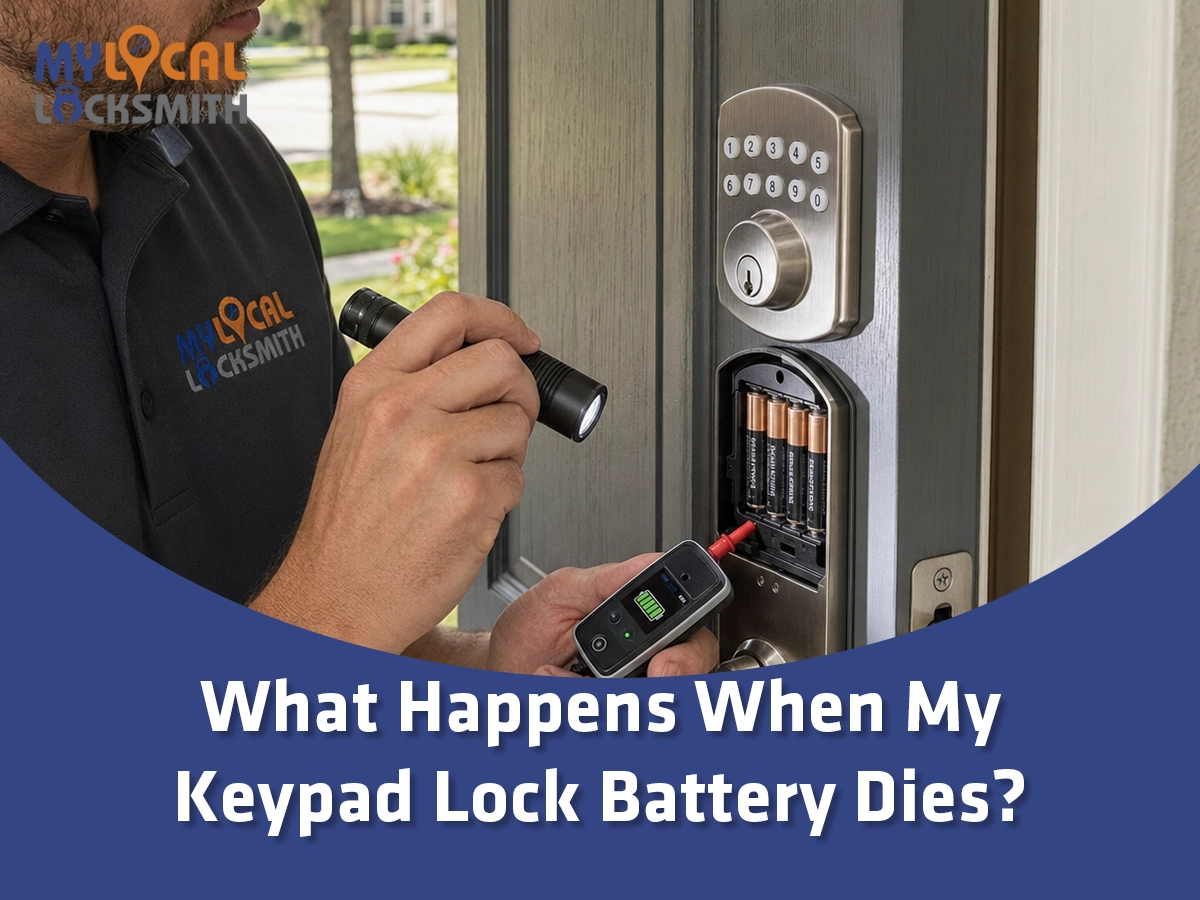
Most residential keypad locks place the main batteries on the interior side. If someone is inside, replacement may be simple. If everyone is outside, interior access depends on the lock’s backup design.
Do not remove exterior trim hoping to reach the battery pack. That may damage the finish, wiring, seals, or mounting. It may also leave the door less secure.
- From inside, follow the maker’s steps for removing the cover and battery tray.
- From outside, use only the listed key override or emergency power method.
If no approved outside method is available, a locksmith can assess entry options. The goal is to avoid unnecessary drilling and protect the door.
Will My Codes and Settings Disappear?
Many locks store user codes and basic settings in memory that does not vanish with a normal battery change. Yet this is not universal. Clock data, connection status, logs, or network links may behave differently.
After installing fresh batteries, test every feature you depend on. Do not assume the keypad, app, auto lock, and alerts all returned because one code worked.
- Test valid codes, locking, unlocking, manual operation, and door alignment.
- Check app connection, user access, alerts, time settings, and automatic features.
Avoid a factory reset unless the official instructions require it. A reset may erase codes or settings and create more work.
Is a Power Outage the Same as a Dead Lock Battery?
No. Most residential keypad locks run on batteries, so a household power outage may not stop local keypad use. However, a router, hub, or internet outage can remove remote features.
Schlage’s product guidance notes that its battery operated locks continue through a home power outage. Still, depleted lock batteries remain a separate failure.
- A home outage may affect internet, hubs, voice control, and remote access.
- A dead lock battery directly affects the keypad electronics and motor.
Why Can Door Alignment Drain Batteries Faster?
The motor must push or pull the deadbolt through its full travel. If the bolt rubs the strike, the motor works harder. Repeated retries or jams can consume more power and stress the mechanism.
Test manual bolt travel with the door open and closed. If operation is easy while open but stiff while closed, the door and strike need attention.
- Listen for slow motor movement, repeated attempts, grinding, or jam alerts.
- Check whether pushing, pulling, or lifting the door changes lock operation.
Changing batteries may restore power without fixing the cause. The next set can face the same load until alignment is corrected.
Can Cold, Heat, or Poor Battery Choice Affect Performance?
Battery output and useful life can change with temperature, age, quality, and chemistry. The lock maker may require a specific battery type. Mixing old and new cells can also produce uneven performance.
Follow the manual rather than using whichever cells are nearby. Rechargeable batteries may not match every product’s voltage needs. Lithium or alkaline advice also varies by model.
- Use a complete fresh set from the recommended type and size.
- Do not mix brands, ages, charge levels, or battery chemistries.
Store spare batteries within their listed temperature range. Do not keep a loose nine volt battery where its terminals can touch metal.
What Do Leaks or Corroded Battery Contacts Mean?
White or green residue, swelling, moisture, or a strong odor may indicate battery leakage or corrosion. Stop using the compartment until the condition is assessed. Avoid touching residue with bare hands.
Cleaning steps depend on the battery chemistry and product design. The lock electronics may already have damage. Follow the battery maker and lock maker guidance.
- Photograph the compartment before removing damaged batteries when safe.
- Keep residue away from skin, eyes, children, pets, and finished surfaces.
Do not insert fresh batteries into wet or badly corroded contacts. A professional inspection can determine whether the lock remains serviceable.
What Should I Do If I Am Locked Outside?
First, stay calm and confirm the correct door. Check whether another authorized entry is safely available. Then identify the lock model and approved backup.
Try the physical key only when the lock has the proper cylinder. Use emergency battery contacts only when the manual confirms them. Do not keep entering codes into a dark keypad.
- Use a tested key, approved power method, or another authorized entry.
- Call a locksmith when no supported method works or the bolt appears jammed.
Our guide on when to call an emergency locksmith explains when a lockout needs prompt professional help. Never create a dangerous entry attempt.
What Should I Do If I Am Inside?
Use the interior thumb turn if it operates normally. Then replace the batteries before relying on the keypad again. Keep the door open during testing so a setup error does not trap you outside.
Inspect battery direction, tray seating, wires, and cover fit according to the manual. A reversed cell or loose connector can make a new set appear dead.
- Replace the full set while the door remains open and accessible.
- Test manual, keypad, and app control before closing and locking the door.
If the bolt binds, stop cycling the motor. Correct door alignment before repeated tests consume the new batteries.
What Should I Never Do to a Dead Keypad Lock?
Do not drill, pry, strike, or dismantle the exterior without a confirmed service plan. These actions can damage the lock, door skin, wiring, frame, or weather seal.
Do not force the manual key against a bound bolt. Pressure at the strike can make a good cylinder feel defective. Relieve only normal door pressure and stop before the key bends.
- Never apply random voltage, open flame, water, or spray cleaner to the keypad.
- Never force a key, thumb turn, or motor through heavy resistance.
Read why you should never force a jammed lock before a simple lockout becomes broken hardware.
When Is the Battery Not the Real Problem?
A dark keypad can come from dead batteries. However, poor contacts, damaged wiring, water entry, or failed electronics can look similar. A lit keypad with no bolt movement may point elsewhere.
The door itself can also bind. If manual operation is stiff, new batteries cannot correct the strike, hinges, or bolt path. Diagnosis should separate power from mechanics.
- Suspect alignment when operation changes between an open and closed door.
- Suspect hardware or electronics when fresh approved batteries do not restore normal function.
Do not replace the entire lock from one symptom. Confirm the power source, contacts, bolt motion, and manual override first.
When Should the Lock Be Repaired or Replaced?
Repair may be practical when the issue is a loose connection, dirty contact, poor alignment, or serviceable battery tray. Replacement may make more sense after severe corrosion, broken electronics, cracked housing, or repeat failure.
Age alone does not settle the decision. Parts availability, door compatibility, security needs, and reliable backup access also matter.
- Keep the lock when safe service restores dependable operation and backup entry.
- Replace it when damage or design limits prevent a reliable recovery plan.
For a broader comparison, review deadbolts and smart locks. The best lock fits the household’s access habits and backup plan.
How Can I Prevent the Next Battery Lockout?
Learn the low battery signals for your exact model. Replace batteries at the first reliable warning rather than waiting for complete failure. Test the backup key or power method before you need it.
Create a simple reminder tied to the lock’s actual performance. Do not rely on a universal replacement schedule because battery life varies by product and use.
- Keep an approved spare battery and tested backup method in an accessible place.
- Record the model, battery type, warning pattern, and last replacement date.
If your lock supports app alerts, confirm notifications still reach the right household members. An ignored alert provides no protection.
Are Keypad Locks Still a Good Choice?
Yes, when the model suits the door and the household maintains it. Codes can reduce routine key sharing. Smart features may also allow named users, schedules, and remote management.
However, convenience needs a backup. A good plan covers battery failure, lost phones, network outages, forgotten codes, and mechanical trouble.
- Choose a lock with a recovery method that your household can use safely.
- Maintain the door alignment, backup key, batteries, codes, and account access.
Our guide on how electronic keypads can improve home security explains the benefits and limits. Technology works best with clear routines.
What Should a Professional Locksmith Check?
A locksmith should identify the exact model before choosing an entry method. The inspection should cover the power source, contacts, key override, bolt travel, strike alignment, mounting, and visible damage.
After entry or repair, the lock should be tested with the door open and closed. The homeowner should also understand the warning signals and backup plan.
- Expect model specific diagnosis instead of a universal keypad trick.
- Expect proof of authority, clear pricing, careful entry, and final operation testing.
Texas regulates locksmiths through its private security program. Consumers can review provider information through the Texas Department of Public Safety licensing page.
Why Choose My Local Locksmith – Flowermound?
My Local Locksmith – Flowermound treats a dead keypad as both a power and mechanical problem. We check the battery system without ignoring door alignment, bolt pressure, backup access, or hardware damage.
The goal is not merely opening the door. The goal is restoring dependable access and leaving a backup plan that fits the installed model.
- A careful inspection reduces needless drilling and random part replacement.
- A complete finish tests batteries, keypad entry, manual operation, and door fit.
That approach gives Flower Mound homeowners a clear answer. It also reduces the chance that the next low battery warning gets missed.
What Happens When My Keypad Lock Battery Dies? Final Answer
The keypad and motor may stop responding, while the lock often stays in its last position. Your recovery method depends on the exact product. It may use a backup key, outside battery contacts, another entry, or professional service.
Identify the model first. Follow its manual. Avoid force. Then replace the approved batteries and test every feature. If the lock still fails, inspect alignment, contacts, wiring, and hardware.
- A dead battery is an access problem, not an invitation to damage the door.
- A tested backup method turns a stressful lockout into a planned recovery.
Prepare before the warning becomes silence. A spare battery, working key, and known model number can save time.
Frequently Asked Questions
Can I still use a key when my keypad lock battery is dead?
Yes, if the lock includes a mechanical key cylinder and the bolt is not jammed. Use the correct key and stop if it bends or needs heavy force. Some keypad locks are fully keyless, so no physical override exists. Check the exact manual before prying at trim or assuming a hidden keyway is present.
Does a keypad door lock unlock when its battery dies?
Usually not. Many models remain in their last known position when the batteries are exhausted. Therefore, a locked deadbolt may stay locked. However, behavior is product specific. Confirm the manual for your model. Never rely on battery failure as an unlocking method or assume the door is secure without checking its bolt position.
How do I open a keyless lock with a dead battery?
Some keyless models provide outside contacts for temporary power. The approved battery can wake the keypad long enough to enter a valid code. Other models lack this feature. Use only the battery type and steps named by the manufacturer. If no supported method works, contact a locksmith instead of forcing the keypad or door.
Will changing the batteries erase my keypad codes?
Many locks retain user codes during a normal battery change, but this is not universal. Other settings, logs, network links, or clock data may behave differently. Avoid a factory reset unless the manual requires it. After replacement, test every code and review app users, alerts, automatic locking, and connection status.
Why are my keypad lock batteries dying so quickly?
Possible causes include bolt friction, poor alignment, motor retries, unsuitable batteries, wireless activity, or failing electronics. Start with the battery type required by the maker. Then compare manual bolt movement with the door open and closed. Persistent rapid drain deserves a full lock and door inspection.
Restore Safe Entry Without Forcing the Door
My Local Locksmith – Flowermound can identify your keypad lock and assess approved backup entry. After access, we diagnose the cause. We check batteries, electronics, bolt travel, door alignment, and manual backup options.
- Address: 3535 Firewheel Dr Suite 101, Flower Mound, TX 75028
- Main Phone: 469-820-8765
- Website:www.mylocallocksmithtx.com