A Smarter Schedule Protects Tenants and Property Owners
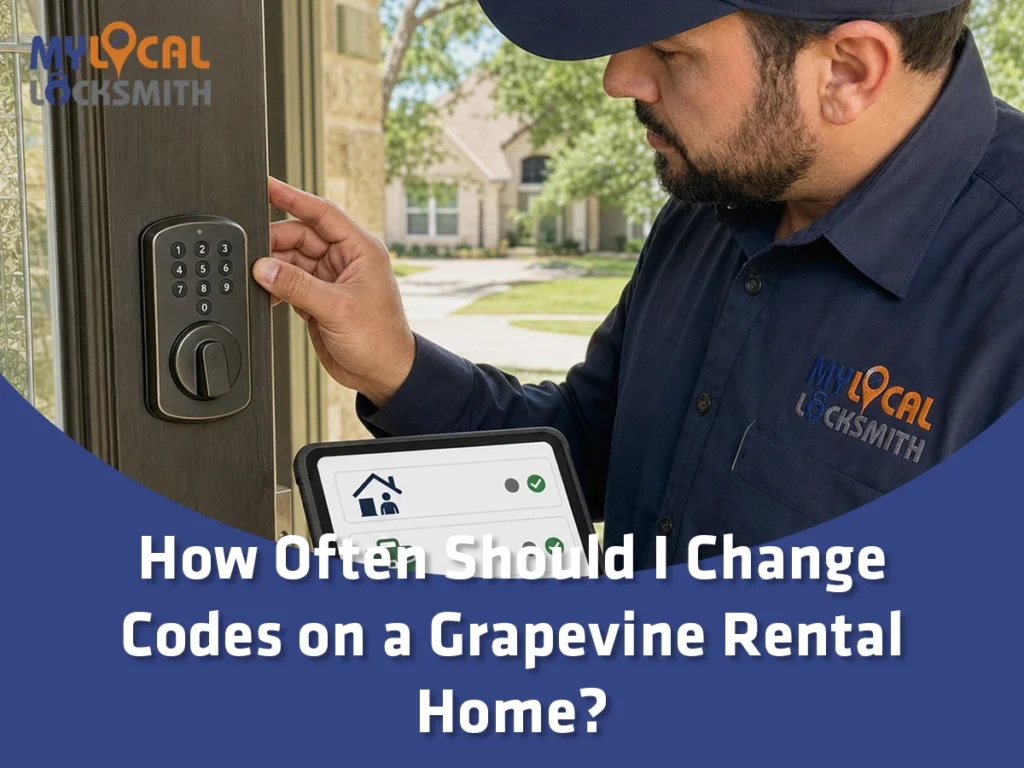
Here is a surprising fact: Texas law can treat changing a combination as rekeying, not only changing a metal key. Therefore, How Often Should I Change Codes on a Grapevine Rental Home? Change them at tenant turnover and after meaningful access events. During a stable tenancy, audit users regularly and remove access that no longer has a valid purpose.
AI Overview
Change rental home entry codes whenever possession or approved access changes. Key events include tenant turnover, a lost or shared code, ended vendor work, staff changes, or suspected account access. Do not wait for a fixed date when a known risk exists.
Use one unique code for each approved user when the lock supports it. Avoid sharing the administrator credential. Review active users every three to six months as a practical policy. However, follow the lease, current Texas law, and the exact lock instructions.
- Change access because of a real event, not merely because a calendar page changed.
- Track codes, users, dates, permissions, and removal without recording private tenant activity unnecessarily.
Separate the Legal Duty from a Good Management Policy
Texas rental law and a property owner’s operating policy are related, but they are not identical. The law sets duties. A code policy creates repeatable steps between required events.
Texas Property Code Section 92.156 addresses rekeying after tenant turnover. The statute generally requires a covered security device to be rekeyed by the landlord within the stated period. Exceptions and facts can affect the rule.
The related definitions explain that rekeying can involve a key, card, or combination. Review the current Texas residential tenancy security device law before relying on any summary.
Changing a tenant code may satisfy one access task, but it may not address every entry method. A physical backup key, app account, card, remote, or garage code may remain valid.
- Review current law and the signed lease for the exact property.
- Treat legal deadlines as minimum duties, not a complete access plan.
- Ask a qualified attorney about disputed rights or unusual facts.
This article offers general security guidance, not legal advice. A locksmith can service hardware, while an attorney interprets legal duties.
Change Every Tenant Code at Turnover
Tenant turnover is the clearest time for a complete access reset. Remove every former tenant code before the new tenant receives possession. Then verify that deleted codes no longer open the door.
Also, review codes for former roommates, guests, cleaners, pet sitters, and relatives. These users may never appear on the lease. However, their access can remain inside the device.
Test the mechanical backup cylinder separately. A new keypad code does not automatically change a traditional key. Rekey that cylinder when required or appropriate.
- Delete all former occupant and guest codes.
- Reset approved manager or owner access under a documented policy.
- Test every deleted code while the door remains open.
The article on the best locks for apartments and rental properties explains why hardware choice should match daily management. Turnover steps should match the exact model.
Use Events Instead of a Rigid Monthly Rule
There is no useful universal rule that every rental code must change monthly. Frequent arbitrary resets can confuse tenants and increase lockouts. Meanwhile, an exposed code should not remain active until the next scheduled date.
Change or remove a code after any of these events:
- A tenant moves out or transfers possession.
- A roommate, partner, or approved occupant leaves.
- A contractor, cleaner, sitter, or agent finishes work.
- A phone with management access is lost or compromised.
During a stable tenancy, review the user list every three to six months. That interval is a practical management choice, not a legal rule. Higher turnover may justify more frequent reviews.
Give Each Person a Unique Code
One shared code seems simple until something changes. If five people use one code, removing one person affects everyone. It also makes an access record less useful.
Unique codes let an owner remove one credential without disturbing approved users. Temporary codes can also limit a vendor to a defined period. Features vary by lock and service.
The Schlage Home app, for example, supports multiple guest codes and scheduled access on compatible models. Its official smart lock management page shows why model specific features matter.
Avoid using birthdays, addresses, unit numbers, or repeated digits. Do not reuse a code from another property. Also, never send an administrator credential as a routine entry code.
- Assign one code to one person or defined role.
- Record the purpose, start date, and planned end date.
- Use temporary schedules when the exact lock supports them.
Protect the Administrator Account and Programming Code
The administrator credential controls other users. Therefore, it deserves stronger protection than a normal door code. Limit it to people who actually manage the lock.
Do not give a tenant the programming code unless the ownership and lease arrangement clearly allows that role. Likewise, do not give a vendor broad app access for one visit.
Use a unique account password for the lock service. Enable available account verification. Remove old phones, integrations, property managers, and shared accounts.
Store recovery information in a secure management system. Do not place the programming code inside a visible maintenance binder. Never attach it to the property address in plain text.
- Separate daily entry from lock administration.
- Review account members whenever management staff changes.
- Protect recovery methods and connected email accounts.
Remove Vendor Codes When Work Ends
Rental homes often need cleaners, plumbers, inspectors, landscapers, and repair staff. Each visit creates an access decision. Permanent shared codes make those decisions hard to reverse.
Create a temporary vendor code when the device supports scheduled access. Set the shortest practical window. Then remove the code after the work and confirm deletion.
If the same cleaner returns weekly, a recurring schedule may be useful. Still, review that code whenever the service arrangement changes. Do not leave access active merely for convenience.
Ask vendors not to forward the code. However, assume any shared credential could be copied. Remove it promptly instead of relying only on a promise.
- Use separate codes for separate vendors.
- Limit each code by date or time when possible.
- End access after the approved job or contract.
Respond Quickly When a Code May Be Exposed
A code can spread through a text, photo, email, work order, or shared note. Once exposure is possible, ownership cannot confirm every copy. Change the affected credential promptly.
First, identify whether the exposed number is a user code or administrator code. A programming credential may require broader cleanup. Follow the manufacturer process for the exact model.
Next, review connected accounts and recent activity when available. Do not treat an app log as complete proof. Network outages, device settings, and shared codes can limit the record.
Finally, test the new code and every removed code. Keep the door open during programming when the manufacturer instructs it. This step prevents an avoidable lockout.
- Change the affected code without waiting for the routine audit.
- Review who received or viewed the old credential.
- Check related app accounts and backup entry methods.
Know When Code Changes Are Not Enough
Changing a keypad number controls only that keypad credential. It does not repair a loose deadbolt, weak frame, dead battery, or damaged latch. It also may not disable a mechanical key.
A property may use several access paths. These can include a front keypad, garage remote, side key, gate code, and app account. Review all of them after turnover.
Rekeying can change the existing mechanical key without replacing suitable hardware. Replacement may make sense when the lock is damaged, unreliable, unsupported, or wrong for the door.
Compare those choices with this guide to rekeying versus lock replacement. The right answer depends on both access control and hardware condition.
- Rekey the backup cylinder when old keys should stop working.
- Repair alignment or mechanical faults before trusting the motor.
- Replace hardware when safe service is no longer practical.
Build a Simple Three to Six Month Audit
A routine audit catches forgotten users before the next turnover. Three to six months is a practical starting range for many stable rentals. It is not a promise, law, or universal standard.
During the audit, compare the active user list with current occupants and approved service roles. Remove unknown or expired entries. Then test the remaining access.
Check battery status, door alignment, app connection, alerts, and physical key operation. A motor that strains may be fighting the frame. A code reset will not fix that problem.
Keep the audit record short. Note the date, reviewer, users confirmed, users removed, and maintenance findings. Avoid collecting private details that serve no security purpose.
- Review every active credential and account member.
- Remove expired, unknown, or duplicate users.
- Test batteries, alerts, bolt travel, and backup entry.
- Schedule repair when the lock binds or behaves inconsistently.
Routine review supports the same goals described in how electronic keypads can improve home security. Good hardware still needs good administration.
Avoid Code Reuse Across Homes and Tenancies
Reusing one code across several rentals makes management easy only at first. One disclosure can then affect many doors. Also, staff changes require a wider reset.
Assign a different credential to each property. Where possible, also assign a different code to each person. A portfolio wide administrator account should receive strong account protection.
Never recycle a former tenant code for the next tenant. Even after deletion, that number may remain in old messages. A fresh code creates a clearer boundary.
Property managers should also avoid predictable code patterns. Changing one final digit does not create a strong separation. Use the device’s supported length and current instructions.
- Keep tenant codes unique by person and property.
- Do not reuse old tenant or vendor credentials.
- Avoid patterns tied to addresses or dates.
Coordinate Changes with Tenants and the Lease
Code management should not surprise an active tenant. Provide clear notice when an approved code will change. Explain the effective time and the backup plan.
Do not use a code change to block lawful access. Lockouts and possession disputes involve legal rights beyond routine security service. Seek qualified legal guidance when those issues arise.
The lease or written access policy should explain normal code handling. It can address guest access, service visits, emergency contacts, lost credentials, and prohibited sharing.
Keep communications factual and brief. Avoid sending an active code inside a large group thread. Use a secure method and verify the intended recipient.
- State when the old code will stop working.
- Confirm the tenant received and tested the new code.
- Explain how to report a failed keypad or lost credential.
- Preserve a safe entry option during approved changes.
Maintain Batteries, Alignment, and Manual Backup
Electronic access depends on sound mechanical movement. If the bolt rubs the strike, the motor may drain batteries faster. Therefore, solve alignment faults instead of masking them.
Follow the lock maker’s battery guidance. Use the specified battery type and replace cells as directed. Do not mix old batteries with new ones.
Test low battery warnings and emergency power features when supported. Also, confirm how the mechanical backup works. Store approved backup keys under clear control.
Update firmware and apps when the manufacturer provides trusted instructions. However, avoid major changes immediately before tenant move in. Leave time for full testing.
- Check battery status during each access audit.
- Confirm the bolt moves freely with the door closed.
- Test manual entry without exposing the backup key.
- Record the lock model and support information.
Use a Clear Illustrative Turnover Example
Consider an illustrative example, not a reported customer case. A Grapevine tenant moves out after using one code for family and cleaners. The lock also has a physical backup key.
First, the manager deletes the tenant code and tests that it fails. Next, all guest and cleaner codes receive review. The cleaner no longer serves the property, so that code is removed.
Then, a locksmith checks the backup cylinder and mechanical operation. The owner follows applicable rekeying duties. A new tenant receives a unique code after the lock passes testing.
Finally, the manager records the date, approved users, and completed service. The record does not expose the new active code in a broad spreadsheet.
- Former tenant and guest access ends.
- Vendor access matches the current service need.
- Mechanical keys receive separate control.
- The new tenant tests entry before possession begins.
This example shows why one reset button is not a complete turnover process. Every valid path must match the new occupancy.
Know When a Grapevine Locksmith Should Help
Call a locksmith when the keypad accepts a code but the bolt will not move. Professional service is also wise for damaged locks, uncertain backup keys, and repeated battery drain.
A locksmith can identify whether the problem involves programming, power, alignment, the cylinder, or the door. That diagnosis can prevent needless hardware replacement.
Ask for the model, findings, service options, and clear price before work begins. Then test all approved entry methods after service. Remove technician access when the job ends.
Texas regulates locksmiths through the Department of Public Safety. Owners can review private security licensing information when checking applicable credentials.
- Choose a provider who inspects both electronic and mechanical operation.
- Ask what each repair or reset will change.
- Verify deleted credentials no longer unlock the door.
- Keep service records with the property file.
In our professional view, a good policy makes service easier. The locksmith can address the hardware while the owner controls user approval.
Follow This Powerful Rental Code Checklist
Use the same checklist at turnover and during scheduled audits. Add steps after an incident or management change. Consistent records help different staff follow one policy.
Start with the user list. Then inspect the lock, door, app, keys, and connected entry systems. Finish by testing removal and approved access.
- Delete former tenant and guest codes.
- Remove completed vendor and staff access.
- Create unique codes for current approved users.
- Review the administrator account and recovery methods.
- Check backup keys, garage remotes, and gate codes.
- Test batteries, alignment, alerts, and bolt travel.
- Record dates, decisions, service, and planned reviews.
Never store an active code in an exposed work order. Record the credential owner and status without revealing more than necessary.
Conclusion: How Often Should I Change Codes on a Grapevine Rental Home?
How Often Should I Change Codes on a Grapevine Rental Home? Change them at tenant turnover and after meaningful access events. Review active users every three to six months during stable occupancy.
Change a code immediately after exposure, staff changes, ended vendor work, or suspicious access. Do not let an arbitrary schedule delay a needed reset.
Finally, remember that code changes affect only part of the entry system. Backup keys, app accounts, garage access, batteries, and door alignment need separate checks.
- Use unique credentials for tenants, staff, and vendors.
- Document access without exposing active codes.
- Follow current law, lease terms, and manufacturer instructions.
- Get professional help when hardware or programming remains uncertain.
For rental keypad service in Grapevine, contact My Local Locksmith – Grapevine.
Frequently Asked Questions
Should a rental door code change between every tenant?
Yes, former tenant and guest codes should stop working at turnover. Texas law may also require covered security devices to be rekeyed after tenant turnover. Review current law and the lease for the property. Test each deleted code with the door open, create a unique new credential, and check any mechanical backup key separately.
Can a tenant change a smart lock code without permission?
That depends on the lease, lock ownership, management policy, and applicable law. Tenants should request written instructions before altering owner supplied hardware or administrator settings. Owners should provide a clear process for lost or exposed codes. A legal dispute about access requires qualified legal advice, not only locksmith service.
Does changing the keypad code also rekey the backup key?
Usually, changing a user code does not alter a separate mechanical cylinder. The old physical key may continue working until that cylinder is rekeyed or replaced. Test each entry method separately. Check the exact lock manual because integrated products vary. A locksmith can verify code operation, key control, bolt movement, and door alignment.
How should landlords manage cleaner and contractor codes?
Give each cleaner or contractor a separate temporary code when the lock supports it. Limit the schedule to the approved work period. Remove access when the task or contract ends, then test the deletion. Avoid one permanent vendor code across several properties because one disclosure could affect every linked home.
What should I do if a rental code was shared publicly?
Change the exposed user code promptly and identify who received it. If the administrator credential was exposed, follow the manufacturer process for a broader reset. Review app accounts, access history, and backup methods. Preserve relevant records when suspicious entry occurred. Then test the new code and confirm the old one no longer works.
Contact us at
Address: 1021 S Main St #104, Grapevine, TX 76051
Main Phone: 817-952-5256
Website: http://mylocallocksmithtx.com/my-local-locksmith-in-grapevine/