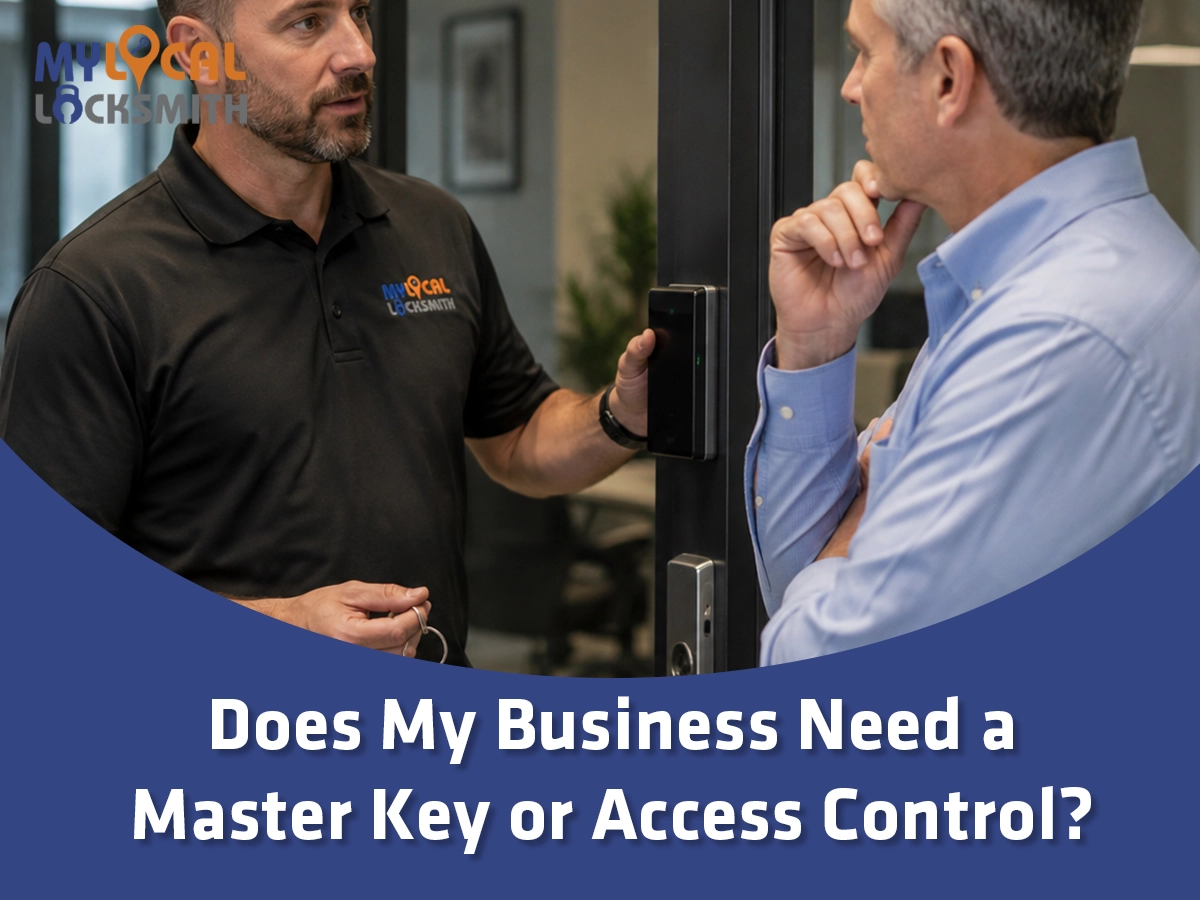
Does My Business Need a Master Key or Access Control?
Here is the surprising fact. Many businesses need both systems because a master key and access control solve different problems.
AI Overview
A master key system suits businesses that need simple, dependable entry across several mechanical locks. It lets approved users open assigned doors while managers hold broader keys. Access control suits sites that need fast credential changes, time rules, and entry records. It can use cards, codes, mobile credentials, or other approved methods. Yet electronic readers do not remove every mechanical key. Many doors still need cylinders, emergency functions, or backup entry. Small sites with stable teams may prefer a planned master key system. Busy offices, warehouses, clinics, and shared properties may gain more from electronic control. A hybrid design often works best. Use electronics on key exterior or sensitive doors, then use master keyed hardware elsewhere. The right choice starts with people, doors, risk, and daily work.
The question sounds simple. It is not. A master key manages who carries which key. Access control manages credentials and system rules.
Neither option is automatically safer. Poor records can weaken a strong master key plan. Bad setup can also weaken expensive access control.
My view is blunt. Do not buy a system because it looks modern or feels familiar. Buy the control your business can manage.
That means mapping actual work first. Who needs entry? Which doors matter most? When should access work? Who will maintain the records?
- Choose a master key system for simple layered mechanical access.
- Choose electronic control for quick changes and useful records.
- Consider both when one system cannot cover every door well.
- Start with daily work instead of product features.
What a Master Key System Really Does
A master key system gives different keys different levels of entry. One staff key may open one room. A manager key may open several.
This is not the same as keying every lock alike. Keyed alike locks give each matching key the same access.
A planned master system creates levels. Change keys serve specific doors. Higher keys serve defined groups. Large plans may add more levels.
That structure can reduce key rings. It can also keep a cleaner from entering records storage. A manager can still retain broader entry.
The system depends on compatible cylinders and a clear key schedule. That schedule records each door, key level, and approved holder.
Without that record, the system slowly turns into guesswork. Keys get copied. Cylinders change. Nobody knows what still opens what.
A lost high level key can affect many doors. Therefore, broad keys should be rare, numbered, and issued only for a clear need.
This guide on master key security and convenience explains the basic hierarchy. It can help owners prepare before an onsite review.
- Give each role only the doors it needs.
- Limit the number of broad master keys.
- Keep a current key and cylinder schedule.
- Plan how a lost key will be handled.
What Electronic Access Control Actually Adds
Electronic access control replaces some physical key use with managed credentials. Those credentials may include cards, codes, phones, or other approved tools.
Its main strength is change. A manager can often disable one credential without changing every affected cylinder. The exact process depends on the system.
The system may also keep entry records. These records can help review unusual access or confirm when a door was used.
Time rules can limit access to work hours. Door groups can match departments. Temporary users can receive narrow access for a set need.
Yet electronics add parts and duties. Readers, controllers, locks, power, software, and network links may all need care.
Someone must own the system. That person should add users, remove users, review alerts, protect admin rights, and test backup plans.
Our article on access control for a modern office gives more context. Focus on management needs, not only reader style.
- Use named credentials instead of shared codes when possible.
- Remove access as soon as a role ends.
- Review door schedules and user groups often.
- Assign one clear owner for system care.
The Real Difference Is Control After Change
Both systems can limit doors by role. The larger difference appears when staff, hours, tenants, or business needs change.
With mechanical keys, access follows the key. If a key stays controlled, the plan remains clear. If it is copied, certainty drops.
With electronic credentials, access follows the account and system rules. A manager can often change rights without touching the door.
Mechanical systems can work without software or network service. They also remain familiar to most staff and service teams.
Electronic systems can show events and support time limits. However, the quality of those records depends on the design and daily process.
The right question is not which product has more features. Ask which failures your team can spot, own, and correct.
- Mechanical keys need strict issue and return records.
- Electronic credentials need prompt account changes.
- Both systems need regular access reviews.
- Neither system fixes weak doors or poor policies.
When a Master Key Is the Better Fit
A master key system often fits a smaller site with stable staff and clear door groups. It also fits buildings with many mechanical openings.
Imagine an office with a front door, records room, stockroom, and four private offices. Most users need only two or three doors.
A clean two level key plan may solve that need without software. Managers carry one broader key. Staff receive only their assigned access.
Choose commercial grade hardware that suits the door and traffic. A weak cylinder does not become strong merely because it joins a hierarchy.
Key copy control also matters. Standard keyways may allow copies outside the business process. Restricted options may improve accountability.
Still, a restricted key does not replace a log. The business should record every issue, return, approved copy, and lost key.
A master system is usually a sound fit when access changes slowly and entry records are not essential.
- Use it when door groups are stable and easy to map.
- Use it when staff can follow strict key custody rules.
- Avoid too many master levels in a small site.
- Reserve broad keys for a few trusted roles.
When Access Control Is the Stronger Choice
Access control becomes more useful when people and schedules change often. It also helps when entry records support business reviews.
High staff turnover can make repeated rekey work disruptive. A managed credential can often be disabled without changing other users.
Shared buildings may need separate tenant rights. Warehouses may need shift rules. Clinics may need tighter limits around records or supplies.
Temporary workers can receive limited access. Vendors can receive narrow rights. The system design determines what controls are available.
Access records can support an inquiry after an event. Still, a record shows credential use, not necessarily the identity at the door.
Avoid promising more than the system proves. Cards can be shared. Doors can be held open. Cameras and supervision solve different gaps.
Access control is strongest when managers actually review users and doors. It becomes weak when old accounts stay active for years.
It is also a better fit when the business has someone responsible for updates, testing, and vendor support.
- Use it when staff or tenant access changes often.
- Use it when time rules and event records matter.
- Avoid shared accounts and shared entry codes.
- Budget for care, updates, and future support.
A Hybrid System Often Makes More Sense
Many businesses do not need electronics on every opening. A card reader on a supply closet may cost more than the risk justifies.
Start with the most important doors. Exterior entries, server rooms, records areas, and high value storage may benefit from managed credentials.
Interior offices and utility rooms may remain mechanical. A planned master key can keep those doors easy for approved managers.
This mix gives the business quick control where change matters most. It also avoids placing electronic parts on every low risk door.
However, the two plans must connect. Mechanical override keys need their own limits. A card system cannot track a metal key.
Emergency and service access also needs thought. Who can enter after a power issue? Which key opens the reader controlled door?
A hybrid plan works when each door has a clear reason for its method. It fails when products are added without one shared map.
- Put electronic control on doors needing fast permission changes.
- Keep mechanical access where simple entry is enough.
- Limit and record every override key.
- Test both systems under realistic conditions.
Map People and Roles Before Buying Hardware
Start with roles, not names. List owners, managers, staff, cleaners, vendors, tenants, and emergency users. Then define what each role needs.
NIST has long studied role based access control. The core idea is useful here. Access can follow job roles instead of personal convenience.
Now list every controlled opening. Include front and rear doors, offices, stockrooms, data rooms, gates, cabinets, and shared spaces.
Match each role to each door. Use daily, occasional, emergency, or no access. Keep the first draft simple.
Next, add time. A cleaner may need evening access. A vendor may need one visit. A manager may need entry during an alarm event.
Then mark the impact of misuse or delay. A blocked restroom door creates a different problem from an exposed records room.
This map reveals where a master key works and where electronics add real value. It can also expose access nobody needs.
Do not copy the old key plan without review. Business roles may have changed since those locks were installed.
- List roles before listing products.
- Match each role with the needed doors.
- Add times, exceptions, and emergency needs.
- Remove access that has no current business reason.
Door Hardware and Safe Exit Still Come First
Access control does not begin with a reader. It begins with a door that closes, latches, locks, and allows required exit.
Exterior doors may use closers, panic hardware, electrified locks, strikes, sensors, and cylinders. Those parts must work as one opening.
Life safety rules can affect how people leave. Accessibility rules can affect clear width, force, hardware, and usable approach.
The United States Access Board explains requirements for entrances, doors, and gates. Local code review may still be required for a specific project.
Do not add a lock that makes normal exit confusing. Do not block panic hardware. Do not assume every reader can fit every door.
Fire rated openings may have special hardware and installation needs. Glass, aluminum, wood, and hollow metal doors also require different planning.
Our commercial door compliance and security guide covers related concerns. Use it as a planning aid, not a site approval.
A qualified team should inspect the whole opening before choosing hardware. The best credential cannot fix a dragging door or weak frame.
- Confirm safe exit before adding entry controls.
- Check the door, frame, closer, latch, and strike.
- Review accessibility and fire needs for the site.
- Select hardware for the exact door type.
Compare the Full Cost, Not Only Installation
Owners often compare the first quote and stop. That misses the cost of keys, turnover, software, service, power, training, and future changes.
A master key system may have a lower setup burden. Yet a lost broad key can create a larger rekey scope.
Access control may cost more at first. It can reduce some later rekey work, especially when credential changes happen often.
Electronic systems may also have subscriptions, licenses, batteries, backup power, and support costs. Ask which costs repeat and which are optional.
Think in years, not one invoice. Estimate expected staff changes, new doors, tenant moves, and likely expansion.
Also count downtime. A failed reader on the main entry matters more than a failed lock on a rarely used room.
Do not chase a false precise number before a site survey. The door count, wiring path, hardware, and access rules shape the real cost.
- Compare setup, service, and change costs.
- Include staff time for system management.
- Ask how expansion will affect the plan.
- Budget for failures on critical doors.
An Illustrative Arlington Business Example
Consider this made up example. It shows a sound planning method. It does not describe a real customer, project, or security event.
An Arlington service company has twelve doors. Twenty employees use the main entrance. Four managers need stockroom and records access.
Staff changes occur several times each year. Vendors also need short visits. The owner wants entry records at the front door.
Putting readers on all twelve doors would add cost and care. Using only keys would make front access changes slower.
The business chooses a hybrid plan. Electronic credentials control the front entry and records room. A master key plan covers six interior doors.
The owner and one facility manager receive override keys. Staff receive named credentials. Technicians receive keys only for their work areas.
Utility and low risk rooms stay mechanical. Two unrelated doors stay outside the new plan because their access does not need change.
The final system is not flashy. That is fine. It gives the business fast staff changes, useful records, and simple interior access.
- Electronics serve the doors with frequent access changes.
- Master keys reduce interior key clutter.
- Override keys stay rare and tracked.
- Unrelated doors avoid needless work.
Questions to Ask Before Choosing a System
Ask each vendor to explain the access plan in plain language. If the answer begins with products, bring the discussion back to doors and roles.
Which doors will use electronics? Which will remain mechanical? Who can open each group? What happens when a user leaves?
Ask how credentials are added and removed. Also ask who controls administrator rights and how those rights are recovered.
For master keys, ask who owns the key schedule. Ask how copies are approved and how future doors can join the plan.
For electronics, ask about power, offline behavior, backups, updates, logs, support, and data retention. Exact answers depend on the chosen system.
Request a door by door scope. It should identify hardware, wiring, credentials, cylinders, training, testing, and recurring costs.
Texas businesses can use the Department of Public Safety TOPS license search guidance. Verify the appropriate provider before approving security work.
Finally, ask who tests the completed opening. Smooth entry matters. Safe exit matters more. Both should be checked before handoff.
- Request one clear access map before installation.
- Confirm system ownership and administrator rights.
- Review service, support, and repeat costs.
- Test every door and credential before approval.
Frequently Asked Questions
Is a master key system the same as keyed alike locks?
No. Keyed alike locks accept the same key across the whole group. A master key system creates access levels. Staff keys may open selected doors, while a manager key opens several groups. That hierarchy offers more control, but it also needs a current key schedule and strict limits on broad keys.
Is electronic access control safer than a master key?
Not in every setting. Electronic access can disable credentials quickly, apply time rules, and keep event records. A master key system can remain simple and dependable. Safety depends on the doors, hardware, permissions, records, and daily management. A poorly managed electronic system can be weaker than a disciplined mechanical plan.
Can a business use access control and master keys together?
Yes. Many sites use electronic credentials on exterior or sensitive doors and master keyed cylinders elsewhere. This can control cost while keeping fast credential changes where they matter. However, mechanical override keys need separate tracking. The two systems should share one door and access map before installation begins.
What happens to access control during a power outage?
The result depends on the lock, power design, backup equipment, door function, and local requirements. Some parts may use backup power. Certain openings must behave in a set way for safe exit. Ask the provider to explain each door’s outage behavior, then test that behavior before accepting the system.
Which option costs less for a small Arlington business?
A simple master key plan may cost less to set up, but the answer depends on hardware and door count. Access control can cost more initially yet reduce some future rekey needs. Compare several years of staff changes, service, software, keys, power, and expansion instead of comparing only installation quotes.
Conclusion: Choose Control Your Team Can Manage
Does my business need a master key or access control? The answer depends on change, records, door risk, and daily management.
Choose a master key system when roles stay stable and mechanical access meets the need. Choose electronics when permissions change often.
For many Arlington businesses, a hybrid plan is the practical answer. It places faster control on critical doors without overbuilding the site.
My Local Locksmith – Arlington can inspect the openings, map access needs, and explain a clear scope. The goal is useful control without needless complexity.
- Start with people, roles, doors, and times.
- Match each door with the simplest sound method.
- Protect master keys and administrator rights.
- Test entry, exit, and backup behavior before handoff.
Contact us at
Address: 805 Washington Dr a1, Arlington, TX 76011
Main Phone: 682-253-1593
Website: http://www.mylocallocksmithtx.com/